
NEW DELHI: Google is significantly streamlining the electric vehicle (EV) road trip experience, effectively removing much of the guesswork associated with long-distance travel. The technology giant has announced the widespread rollout of its integrated route planning feature on Android Auto, a development first unveiled in March. This advancement promises to transform how EV drivers approach extended journeys, bringing sophisticated charging stop recommendations directly to the in-car infotainment system.
This innovative feature, currently being implemented across more than a dozen automotive brands, suggests optimal charging stops along a planned route. This functionality eliminates the need for manual calculations of range and battery capacity, allowing the EV’s onboard systems to communicate with Google Maps for precise planning based on real-time battery percentage and estimated range. The introduction of this capability through Android Auto is poised to make battery-powered road trips significantly more accessible and less stressful for a wider demographic of EV owners.

Key Takeaways
- Democratising EV Travel: Android Auto’s new route planning feature extends sophisticated charging guidance to a broad range of EVs, old and new, across various price points.
- Reduced Range Anxiety: The system aims to mitigate ‘charging anxiety’ by automatically identifying and integrating necessary charging stops into trip planning.
- Simple Activation: Users can activate EV routing by inputting vehicle details and current battery percentage into Google Maps on their smartphone, which then mirrors to Android Auto.
- Comparison with Native Systems: While highly beneficial, Android Auto’s system currently offers less precision than some integrated native EV navigation systems, as it lacks direct access to the vehicle’s battery management system.
- Future Potential: Despite minor inaccuracies, the feature represents a substantial leap in making EV road trips more convenient and user-friendly, with continuous optimisation expected.
Addressing EV Range Anxiety with Smart Navigation
For years, concerns over range and the availability of charging infrastructure have been significant barriers for potential EV adopters. While premium EV manufacturers like Tesla and Rivian have long offered integrated route planning within their proprietary navigation systems – known for their exceptional accuracy and seamless charging recommendations – these systems typically do not support third-party interfaces like Apple CarPlay or Android Auto. Their native integration means drivers rarely need to manually consider charging logistics over long distances.
The advent of Android Auto EV route planning is a game-changer because it extends this crucial capability beyond exclusive ecosystems. By supporting a diverse array of existing and upcoming electric vehicles, this feature has the potential to democratise stress-free EV travel. It effectively eliminates one of the most significant psychological hurdles for drivers contemplating the switch to electric mobility: the perennial task of locating suitable charging points independently.
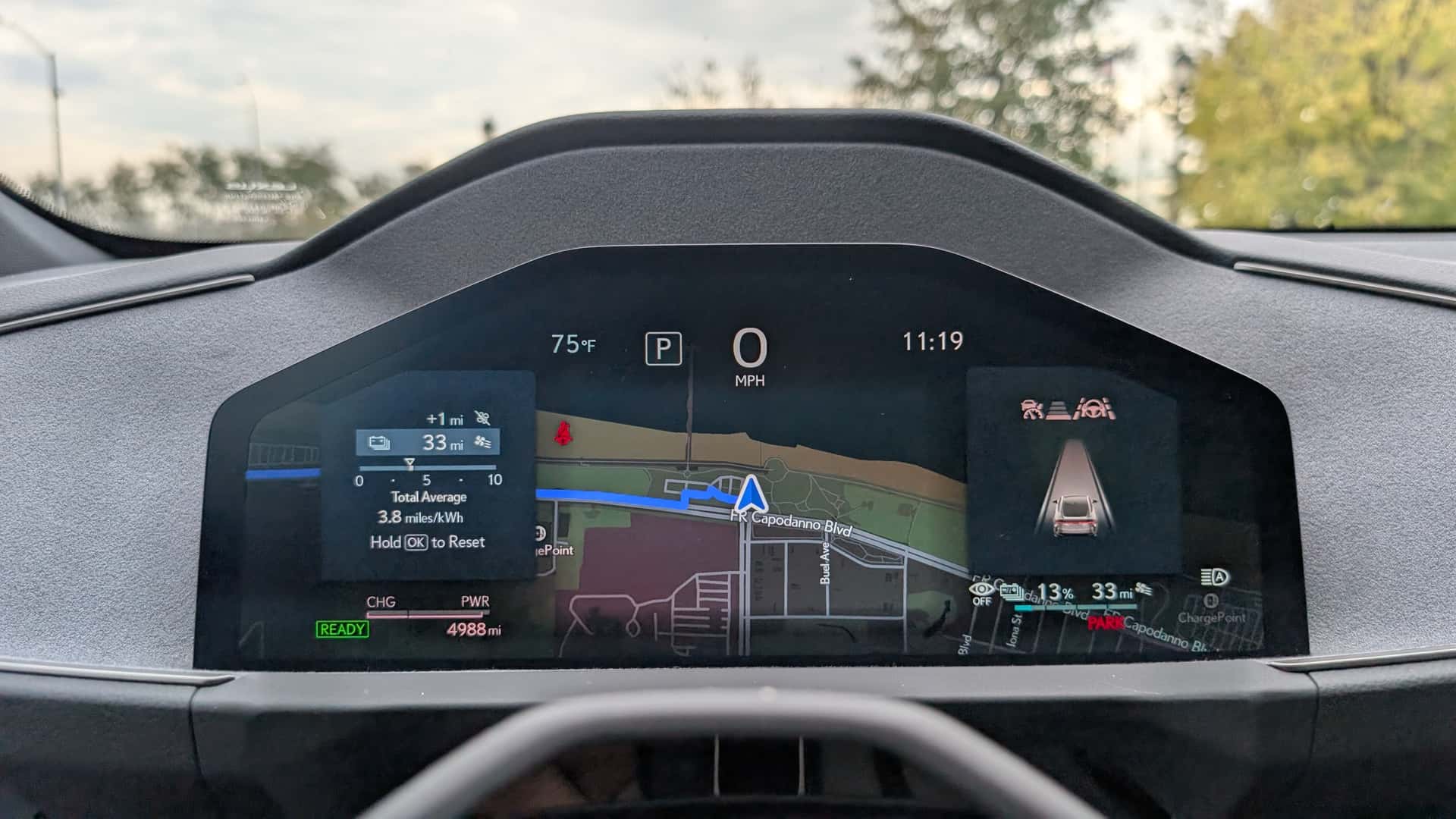
During a recent test drive of the Lexus ES 350e, the update for Android Auto EV route planning was deployed. The immediate impact was noticeable, significantly reducing the psychological burden of charging anxiety even on familiar test routes where charging options were known to be plentiful. This real-world experience underscores the practical value of integrating such a feature into commonly used automotive interfaces.

Activating EV Routing on Android Auto: A Step-by-Step Guide
Given that Android Auto functions as a smartphone mirroring system rather than having direct access to a vehicle’s onboard diagnostics, it cannot autonomously ascertain the EV’s battery percentage or current range. However, Google has made the activation process for EV routing remarkably straightforward, requiring just two simple steps from the user.
First, users must open Google Maps on their smartphone and tap their profile icon located in the upper-right corner. From there, they navigate to ‘Settings,’ followed by ‘Your Vehicle.’ In this section, drivers are prompted to input essential details about their EV, including its make, model, model year, and trim level. A critical step involves selecting the compatible charging connector for their vehicle, with options typically including CCS, Tesla-style NACS connector, CHAdeMO, or J1772.
Registering these vehicle specifications enables Google Maps to accurately account for the EV’s characteristics and identify compatible charging stations along any planned route. Furthermore, users have the flexibility to specify their preference for charging station types, choosing to include either Level 2 charging stations or DC fast chargers, depending on their available time and travel requirements.
Once the vehicle is configured, initiating an EV-optimised journey is simple. When entering a destination on the vehicle’s infotainment screen, the system prompts the user to input the current battery percentage. With this information, Android Auto proceeds to suggest appropriate charging stops along the route. For most users, who typically drive a single EV, this initial configuration is a one-time process, making subsequent trip planning effortless.
Android Auto vs. Native EV Navigation Systems: A Performance Outlook
While Android Auto EV route planning offers significant convenience, it is important to understand its current limitations, particularly when compared to sophisticated native EV navigation systems. A key distinction lies in its access to the vehicle’s internal data. Without direct integration with the car’s battery management system, Google Maps on Android Auto cannot predict the EV’s remaining range or charging requirements with pinpoint accuracy. It lacks the ability to account for every variable influencing energy consumption or to adjust in real-time to dynamic power usage scenarios.
Factors such as roof-mounted cargo, a trailer in tow, or specific driving styles that impact energy efficiency are not directly factored into Android Auto’s calculations. This means drivers might need to make real-world adjustments based on unforeseen circumstances. Moreover, unlike some integrated native systems, Android Auto does not currently offer the functionality to set a minimum battery percentage for arrival at the destination, a feature that provides an added layer of assurance for many EV owners.
A comparative analysis against the Lexus ES 350e’s native EV route-planning system revealed notable differences. For a 350-mile journey from South Brooklyn to Rochester, New York, Android Auto estimated a total travel time of 7 hours and 48 minutes, which included designated charging stops. In contrast, the Lexus’s built-in navigation system projected a shorter duration, shaving off 46 minutes by recommending what appeared to be more efficient charging locations.
Furthermore, Google Maps displayed an estimated EPA range of 307 miles for the ES 350e within the app. While accurate for the Premium trim, the press test vehicle was a Luxury trim equipped with 21-inch wheels, which typically offers an EPA range of 292 miles. This discrepancy suggests that Google’s calculations may not yet fully account for every specific trim and specification detail, which can influence actual range.
The Distinct Advantages of Google’s Platform
Despite these differences, Google Maps on Android Auto brings several compelling advantages. Its energy-consumption predictions, while not directly real-time from the car’s BMS, leverage extensive vehicle specifications combined with crucial external factors such as real-time traffic conditions, topographical elevation changes, and prevailing weather patterns to estimate range requirements. This comprehensive approach ensures a robust, albeit not perfect, estimate.
The platform’s familiar, intuitive, and easy-to-read interface is another significant asset. For millions of users already accustomed to Google Maps for daily navigation, the transition to EV route planning within the same interface is seamless and user-friendly. Many drivers express a preference for the Google system over proprietary native navigation units, unless those native systems are themselves powered by Android Automotive OS, as seen in some General Motors and Volvo vehicles.
While Android Auto’s ballpark estimates might not match the granular precision of a hypermiler aiming to deplete their EV to 0% between charging stops, or a driver regularly hauling heavy loads, they are generally sufficient for the average EV user. Both Android Auto and native systems constantly strive to optimise for the best charging stops while driving. While native systems can harness immediate, real-time vehicle data, Android Auto will still proactively alert drivers if it calculates that their battery charge is running low, even if its accuracy isn’t quite on par with fully integrated solutions.
In conclusion, Android Auto EV route planning marks a significant stride in enhancing the practicality of electric road trips. By offering better software tools, complementing the ongoing development of longer-range vehicles, and supporting the continuous expansion of charging station networks, Google is playing a pivotal role in making EV travel more accessible, convenient, and anxiety-free than ever before.
Frequently Asked Questions (FAQ)
What is Android Auto EV route planning?
Android Auto EV route planning is a new feature that suggests optimal charging stops for electric vehicles during long journeys. It integrates with Google Maps to calculate routes based on the EV’s battery percentage and estimated range, aiming to reduce range anxiety for drivers.
How do I activate EV routing in Android Auto?
To activate, open Google Maps on your smartphone, go to Settings > Your Vehicle, and enter your EV’s make, model, year, trim, and compatible charging connector. Once configured, you input your starting battery percentage when planning a trip on Android Auto.
Which charging connectors are supported by Android Auto?
Android Auto supports common EV charging connectors, including CCS, Tesla-style NACS, CHAdeMO, and J1772. This broad compatibility ensures that a wide range of electric vehicles can utilise the route planning feature.
How accurate is Android Auto’s EV route planning compared to native systems?
Android Auto’s route planning is generally useful but may be less accurate than native EV navigation systems. It lacks direct access to the car’s battery management system, meaning it might not account for all variables affecting real-time energy consumption, such as external cargo or precise vehicle trim differences.
Can Android Auto recommend different types of charging stations?
Yes, users can specify whether they wish to include Level 2 charging stations or DC fast chargers in their route planning. This allows drivers to tailor charging stops based on their time constraints and preferences for faster or slower charging options.
Does Android Auto EV route planning work with all electric vehicles?
Google announced the initial rollout will support more than 15 automotive brands, with more expected to be added over time. It aims to democratise EV route planning across a broad spectrum of electric vehicles, both new and older models.
Does the system account for traffic and elevation?
Yes, Google Maps’ energy-consumption predictions for EV route planning do incorporate external factors such as real-time traffic conditions, changes in elevation, and weather to provide a more comprehensive estimate of range requirements for the journey.