
In a significant stride towards demystifying electric vehicle (EV) travel, Google has introduced an integrated route planning feature within Android Auto. This innovation is poised to transform long-distance EV journeys, aiming to alleviate range anxiety and streamline the charging process for drivers across various vehicle makes and models. First announced in March, this capability is now rolling out, promising a more intuitive and predictable experience for EV owners on the road.
The core functionality of the new Android Auto EV route planning system lies in its ability to suggest optimal charging stops along a predetermined route. By factoring in the EV’s current battery percentage and estimated range, the system calculates and recommends when and where to recharge, eliminating the need for drivers to manually scout for charging stations or meticulously plan their energy consumption.

Key Takeaways
- Seamless Integration: Android Auto now features integrated route planning, recommending charging stops based on EV battery percentage and range.
- Broad Accessibility: The feature is rolling out to over 15 automotive brands, democratizing advanced EV navigation across new and older models.
- Easy Activation: Users can enable EV routing via Google Maps settings on their smartphone, providing vehicle details and charging connector type.
- Enhanced Planning: Google Maps accounts for traffic, elevation, and weather to predict energy consumption.
- Current Limitations: Lacks direct access to the vehicle’s battery management system (BMS), leading to potential inaccuracies in real-time range predictions compared to native systems.
- Future Potential: Despite current nuances, this feature significantly reduces range anxiety and fosters greater confidence in long-haul EV travel, accelerating EV adoption.
The Promise of Seamless EV Journeys
For many prospective EV buyers and current owners, the prospect of long-distance travel has been a significant hurdle. Concerns over battery range, the availability of charging infrastructure, and the time required for recharging contribute to what is commonly known as ‘range anxiety’. Google’s latest update directly addresses these concerns, providing a powerful tool designed to make battery-powered road trips an absolute breeze.
The system intelligently identifies compatible charging stations – whether Level 2 chargers for longer stops or DC fast chargers for quick top-ups – aligning with the driver’s preferences and journey timeline. This proactive approach to energy management means drivers can focus more on the journey itself and less on the logistics of maintaining their vehicle’s charge.
Democratizing Advanced EV Navigation
While premium EV manufacturers like Tesla and Rivian have long offered sophisticated, integrated route planning systems within their native navigation platforms, these have largely been exclusive to their brand ecosystems. Neither Tesla nor Rivian currently support Apple CarPlay or Android Auto, meaning their advanced features are proprietary.
The introduction of Android Auto EV route planning changes this dynamic significantly. It brings a comparable level of intelligence and convenience to a much broader spectrum of electric vehicles, spanning diverse price points and segments. Google has confirmed an initial rollout supporting more than 15 brands, with plans to expand this compatibility over time.
This widespread integration holds immense potential for EV adoption, particularly for drivers contemplating the switch to electric. By abstracting the complexities of charging logistics, Android Auto is effectively removing a major psychological barrier, allowing more individuals to experience the benefits of electric mobility without the inherent stress of traditional range management.
Activating EV Routing on Android Auto
To leverage the full potential of Android Auto EV route planning, a simple one-time setup is required on your smartphone. Since Android Auto is primarily a mirroring system and does not have direct access to a vehicle’s onboard diagnostics, it relies on user input to understand the EV’s specifications and battery status.
The activation process is straightforward. First, open the Google Maps application on your smartphone. Tap on your profile icon located in the upper-right corner of the screen. From there, navigate to ‘Settings’, and then select ‘Your Vehicle’. This section allows you to input critical information about your electric vehicle.
You will need to enter your EV’s make, model, model year, and trim level. Crucially, you must also select its compatible charging connector type. The available options typically include CCS (Combined Charging System) or the Tesla-style NACS (North American Charging Standard) connector, as well as CHAdeMO or J1772, covering the vast majority of electric vehicles globally.
Registering your vehicle’s specific details empowers Google Maps to accurately account for its energy consumption characteristics and to identify only compatible charging stations along your route. Additionally, users can specify their preference for Level 2 charging stations or DC fast chargers, depending on the urgency and duration of their desired stops.
Once the vehicle details are configured in Google Maps, initiating a planned EV journey is simplified. When you enter a destination on your car’s Android Auto screen, you will be prompted to input your vehicle’s current battery percentage. With this information, Android Auto can then dynamically suggest optimal charging stops, ensuring you reach your destination efficiently and without undue stress.
Nuances and Limitations: Understanding Android Auto’s Approach
While Google’s Android Auto EV route planning offers significant advantages, it’s important to acknowledge its operational nuances, particularly in comparison to deeply integrated native systems. The primary distinction lies in Android Auto’s lack of direct, real-time access to the vehicle’s battery management system (BMS).
This means Google Maps on Android Auto cannot account for every variable influencing energy consumption with pinpoint accuracy, nor can it adjust on-the-fly to instantaneous power usage changes. Factors such as external cargo (e.g., roof racks, trailers), aggressive driving styles, or significant changes in passenger load are not directly fed into the system’s calculations. Drivers must make manual allowances for such real-world conditions.
Furthermore, the system currently does not offer the granular control found in some native EV systems, such as the ability to set a minimum desired battery percentage upon arrival at a destination or a charging station. These advanced features provide an additional layer of assurance for drivers who prefer to maintain a buffer in their battery levels.
Head-to-Head: Android Auto vs. Native Systems
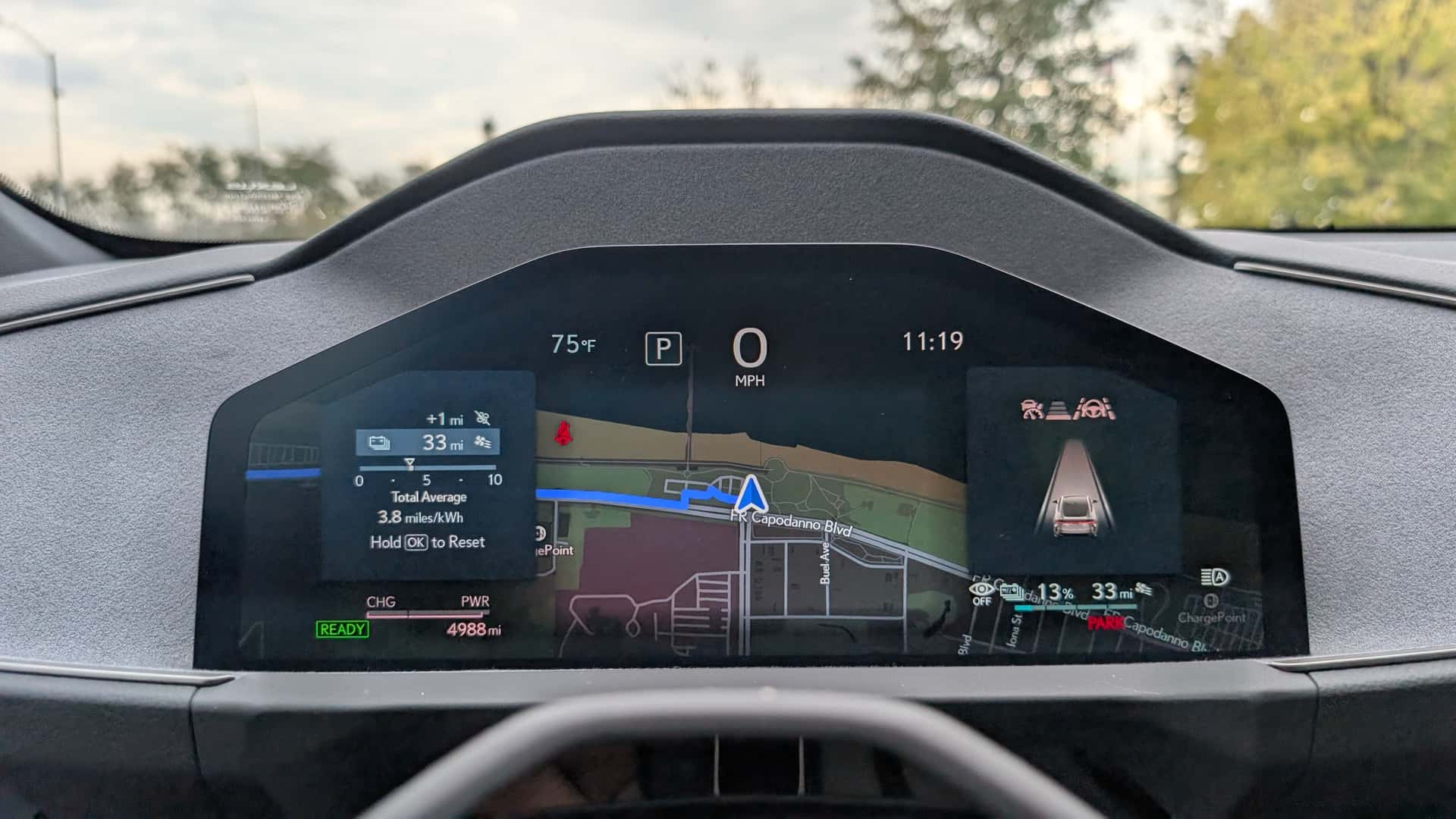
A recent comparative test involving the Lexus ES 350e, an EV equipped with its own built-in route planning, highlighted both the strengths and current limitations of Android Auto. For a roughly 350-mile journey from South Brooklyn to Rochester, New York, the discrepancies in estimations were noticeable.
Android Auto estimated a total travel time of 7 hours and 48 minutes, which included planned charging stops. In contrast, the Lexus’s native navigation system projected a shorter journey, shaving off 46 minutes by recommending what appeared to be quicker and more efficient charging points along the route. This suggests that native systems, with their direct BMS integration, can sometimes optimise charging stops more effectively.
Another point of divergence was the EPA range displayed by Google Maps for the Lexus ES 350e. The app indicated 307 miles of range, which is accurate for the Premium trim. However, the specific press test vehicle was a Luxury trim equipped with 21-inch wheels, reducing its official EPA range to 292 miles. This discrepancy underscores the challenge of generalising vehicle specifications without real-time, trim-specific data from the car itself.
Despite these differences, Google Maps retains several compelling advantages. Its energy consumption predictions are sophisticated, incorporating known vehicle specifications with dynamic factors such as current traffic conditions, changes in elevation, and prevailing weather patterns. This comprehensive data analysis contributes to robust routing suggestions.
Moreover, the universally familiar and user-friendly interface of Google Maps remains a significant draw. For many drivers already accustomed to its navigation features, transitioning to Android Auto EV route planning is seamless. This familiarity often surpasses the learning curve associated with some proprietary native navigation systems, unless those systems are themselves based on Android Automotive OS, as seen in certain General Motors and Volvo vehicles.
Both Android Auto and native systems continuously optimise charging stops during the drive. While native systems leverage real-time vehicle data for superior accuracy, Android Auto still provides critical alerts if it calculates that the vehicle’s battery charge is running low, even without direct BMS access. This serves as a vital safety net for drivers, ensuring they are notified before a critical battery level is reached.
The Broader Impact on EV Adoption
Ultimately, Google’s venture into Android Auto EV route planning represents a pivotal moment in the evolution of electric mobility. While it may not yet achieve the absolute precision of deeply integrated native systems, its contribution to reducing charging anxiety and simplifying long-distance EV travel is undeniable. By providing a widely accessible and intuitive solution, Google is actively tearing down critical barriers that have historically hindered broader EV adoption.
As the electric vehicle market matures, and with continuous advancements in software tools, the expansion of longer-range vehicles, and the proliferation of charging infrastructure, the experience of embarking on an EV road trip will only become more seamless and enjoyable. Android Auto’s new feature is a powerful step in this direction, empowering more drivers to embrace the future of transportation with confidence.
Frequently Asked Questions (FAQ)
1. What is Android Auto EV route planning?
Android Auto EV route planning is a new feature that helps electric vehicle drivers plan long trips by automatically suggesting optimal charging stops. It calculates these stops based on the EV’s current battery percentage and estimated range, integrating seamlessly with Google Maps navigation.
2. How does Android Auto know my EV’s range and battery?
Android Auto relies on user input. Drivers configure their EV’s make, model, year, and trim in Google Maps settings on their smartphone. When starting a trip, the driver enters the vehicle’s current battery percentage, allowing the system to make range estimations.
3. Is Android Auto EV route planning as accurate as native EV systems?
While highly useful, Android Auto may not be as accurate as native EV navigation systems. This is because it doesn’t have direct, real-time access to the vehicle’s battery management system (BMS), which means it cannot account for all instantaneous variables affecting energy consumption.
4. What information do I need to provide to activate the feature?
To activate, open Google Maps settings on your phone, navigate to ‘Your Vehicle’, and enter your EV’s make, model, year, trim, and compatible charging connector type (e.g., CCS, NACS, CHAdeMO, J1772). You can also specify preferred charger types (Level 2 or DC fast).
5. What factors does Android Auto consider for its route planning?
Beyond vehicle specifications and battery percentage, Android Auto’s system incorporates real-time data such as traffic conditions, elevation changes along the route, and prevailing weather patterns to provide more accurate energy consumption predictions and charging stop recommendations.
6. Can I choose the type of charging stations it suggests?
Yes, during the setup process in Google Maps, you have the option to specify whether you want the system to include Level 2 charging stations, which are typically slower, or DC fast chargers, which offer much quicker charging times, depending on your journey requirements.