
Google has initiated a significant advancement for electric vehicle (EV) owners by rolling out integrated route planning capabilities on Android Auto. This feature, initially announced in March, is designed to simplify long-distance EV travel by eliminating much of the guesswork associated with charging stops.
The functionality, which has already begun appearing in vehicles from over a dozen manufacturers, aims to democratise efficient EV route planning. It promises to enhance the driving experience for both seasoned EV enthusiasts and those contemplating the switch to electric mobility.
Key Takeaways
- Android Auto now features integrated EV route planning, simplifying long-distance electric vehicle travel.
- The system suggests optimal charging stops based on battery percentage and estimated range, reducing range anxiety.
- Users must configure their EV’s details (make, model, year, trim, charging connector) and current battery percentage in Google Maps.
- While highly convenient, Android Auto’s predictions are less precise than native EV systems due to a lack of direct access to the vehicle’s battery management system (BMS).
- Despite minor inaccuracies, Google Maps’ familiar interface and real-time data integration for traffic and weather provide significant advantages.
- This development is poised to make EV road trips more accessible and less daunting for a wider audience.
The Imperative for Seamless EV Navigation
One of the primary psychological barriers for potential EV buyers is ‘range anxiety’ – the fear of running out of battery charge before reaching a charging station. While many modern EVs offer commendable range, planning longer journeys traditionally required manual calculations or reliance on a vehicle’s native navigation system.
Many electric vehicles already integrate route planning within their factory navigation systems. Market leaders such as Tesla and Rivian have notably offered sophisticated, integrated route planning for years, providing drivers with precise recommendations on where and for how long to stop for recharging.
These native systems excel by having direct access to the vehicle’s onboard diagnostics and battery management system (BMS), allowing for highly accurate, real-time adjustments based on actual energy consumption and battery state.
Democratising EV Route Planning with Android Auto
The introduction of Android Auto EV route planning is a game-changer because it extends advanced navigation capabilities to a broader spectrum of electric vehicles, irrespective of their make, model, or age. Google confirmed that the rollout would initially support more than 15 brands, with plans for continuous expansion.
This initiative is particularly impactful for drivers considering an electric vehicle, as it significantly mitigates the perceived complexity of managing charging logistics on extended trips. The convenience of having intelligent charging stop suggestions seamlessly integrated into a familiar platform like Google Maps can remove a substantial hurdle for EV adoption.
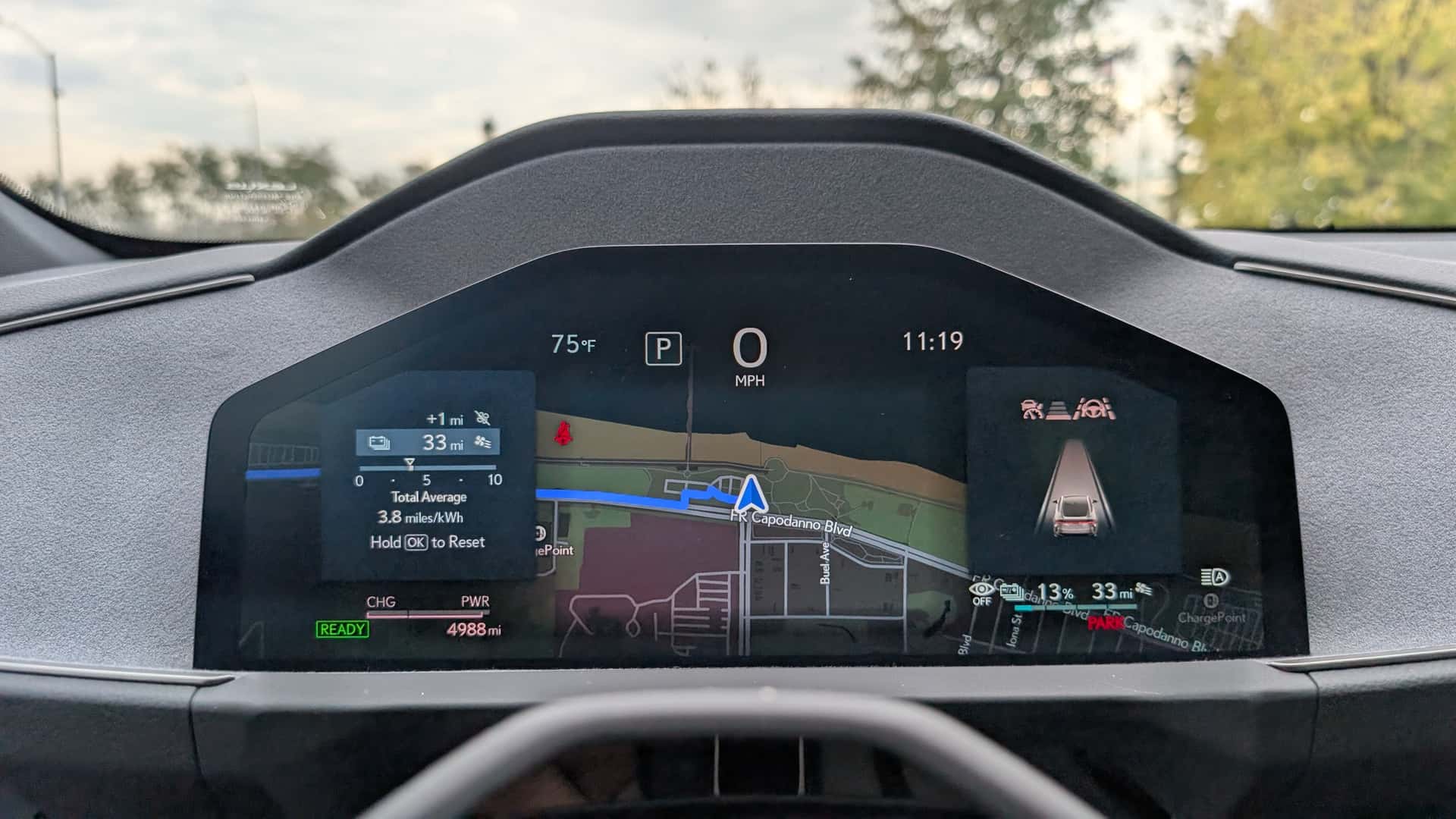
During a recent test in a Lexus ES 350e, the updated Android Auto feature demonstrably reduced the mental load associated with charging anxiety. Even on familiar routes with known charging options, the system’s proactive suggestions offered considerable peace of mind, underscoring its practical utility.
Activating EV Routing on Android Auto: A Step-by-Step Guide
Unlike native vehicle systems, Android Auto operates as a smartphone mirroring interface and does not possess direct connectivity to an EV’s onboard diagnostics. Consequently, Google Maps requires a simple initial setup to accurately assess your vehicle’s range and battery status.
To enable EV routing, users must first open Google Maps on their smartphone. From there, tap the profile icon located in the upper-right corner, then navigate to ‘Settings,’ followed by ‘Your Vehicle.’
Within this section, users are prompted to enter key details about their electric vehicle, including its make, model, model year, and trim level. Crucially, selecting the compatible charging connector is essential; available options typically include CCS, Tesla-style NACS, CHAdeMO, or J1772, depending on the vehicle.
Registering your EV this way enables Google Maps to tailor its calculations to your vehicle’s specific energy consumption characteristics and identify appropriate charging stations along your planned route. Furthermore, the system allows users to specify their preference for Level 2 charging stations or DC fast chargers, based on time constraints and charging needs.
Once the vehicle is configured, initiating a trip on the car’s display merely requires inputting the starting battery percentage. This straightforward process then triggers Android Auto to suggest optimal charging stops along the journey. For most users who drive a single EV, this configuration is a one-time setup, simplifying future trip planning considerably.
Android Auto vs. Native EV Route Planning: A Comparative Analysis
While the Android Auto EV route planning system offers substantial convenience, it comes with certain limitations when compared to integrated native systems. The primary difference lies in its inability to directly access the vehicle’s battery management system.
This lack of real-time data means Google Maps cannot account for every variable influencing energy consumption. Factors such as external roof racks, towing a trailer, or dynamic driving styles, which significantly impact real-world power consumption, are not directly factored into Android Auto’s estimations.
Moreover, the system currently does not offer the granular control present in some integrated systems, such as the ability to set a minimum desired battery percentage upon arrival at the destination. Drivers may need to manually monitor their battery more closely and make minor adjustments on the fly.
A direct comparison conducted during a roughly 350-mile drive from South Brooklyn to Rochester, New York, using a Lexus ES 350e highlighted these differences. Android Auto estimated a total journey time of 7 hours and 48 minutes, inclusive of charging stops.
In contrast, the Lexus’s integrated navigation system provided a more efficient routing, shaving 46 minutes off the total journey time by recommending what appeared to be quicker and more strategically located charging stops.
An additional observation revealed a discrepancy in the displayed EPA range for the Lexus ES 350e. Google Maps indicated a 307-mile EPA range, which is accurate for the Premium trim. However, the test vehicle was a Luxury trim equipped with 21-inch wheels, which typically has an EPA range of 292 miles. This suggests that Google’s calculations may not always account for every specific trim and specification detail, potentially leading to slight inaccuracies in range predictions.
Strengths of Google’s Approach to EV Navigation
Despite these minor discrepancies and the absence of direct BMS integration, Android Auto EV route planning still presents several compelling advantages. Google Maps leverages its extensive database and sophisticated algorithms to provide robust energy consumption predictions.
The system intelligently incorporates critical factors such as real-time traffic conditions, topographical elevation changes along the route, and prevailing weather patterns into its calculations. These elements significantly influence an EV’s range and are vital for accurate trip planning.
A notable strength is Google Maps’ widely recognised and user-friendly interface. For millions of drivers already accustomed to using Google Maps for daily navigation, the transition to its EV-specific routing is seamless and intuitive, reducing the learning curve often associated with new in-car systems. This familiarity can be a significant draw, especially compared to some less intuitive native navigation interfaces.
While native systems with Android Automotive OS (found in vehicles from General Motors and Volvo, for instance) offer deep integration, Android Auto provides a powerful and familiar alternative. It ensures that even without direct vehicle data access, Google Maps can still offer proactive alerts if it detects that the vehicle’s battery level is projected to be critically low before the next charging opportunity.
Towards a Future of Effortless EV Road Trips
The introduction of Android Auto EV route planning marks a pivotal step in dismantling the complexities traditionally associated with electric vehicle road trips. While it may not replicate the pinpoint accuracy of systems with direct battery management access, its overarching benefit lies in its widespread availability and intuitive operation.
For the average EV driver, Android Auto’s ballpark estimates for charging stops, combined with its dynamic adjustments for traffic and weather, are more than sufficient. Unless one is engaging in hypermiling, consistently running the battery to 0%, or hauling heavy loads that drastically alter consumption, the system provides a reliable and confidence-inspiring navigation experience.
As software tools continue to evolve, vehicle ranges extend, and the charging infrastructure expands globally, the prospect of undertaking a hassle-free electric vehicle road trip becomes increasingly realistic. Android Auto’s contribution is a significant stride towards making EV travel universally accessible and enjoyable, further accelerating the transition to sustainable mobility.
FAQ Section
What is Android Auto EV route planning?
Android Auto EV route planning is a new feature in Google Maps that suggests charging stops along your route for electric vehicles. It uses your EV’s battery percentage and specifications to calculate optimal charging points, helping to alleviate range anxiety during long journeys.
How do I activate EV routing in Android Auto?
You activate it by opening Google Maps on your smartphone, tapping your profile icon, navigating to Settings > Your Vehicle, and entering your EV’s make, model, year, trim, and compatible charging connector. You’ll then input your starting battery percentage for each trip.
Is Android Auto EV route planning as accurate as native vehicle systems?
No, it is generally less accurate. Android Auto does not have direct access to your EV’s battery management system, so it cannot account for all real-time variables like towing or specific driving styles that impact energy consumption as precisely as integrated native systems can.
Which EV brands support Android Auto’s route planning?
Google announced that the feature is rolling out to EVs from over 15 automakers initially, with more brands to be added over time. The specific list of all supported brands is expanding, offering broad compatibility across the EV market.
Can I choose the type of charging stations (Level 2 or DC Fast Charger)?
Yes, when configuring your vehicle details in Google Maps, you can specify whether to include Level 2 charging stations or DC fast chargers in your route planning, allowing you to tailor stops based on your time availability and charging speed preferences.
What information does Google Maps use to estimate range and charging stops?
Google Maps draws on your vehicle’s registered specifications, traffic conditions, topographical elevation along the route, and current weather forecasts. These factors are combined to estimate energy consumption and suggest efficient charging stops.
Does this feature help with ‘range anxiety’?
Absolutely. By proactively suggesting charging stops and factoring in various driving conditions, Android Auto EV route planning significantly reduces the stress and uncertainty associated with long-distance EV travel, helping drivers feel more confident about their journeys.